

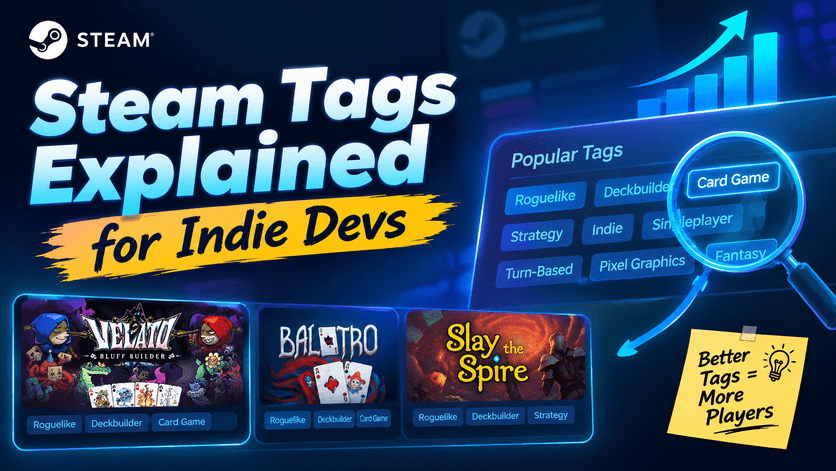
Steam Tags Explained
If there’s one thing many first-time indie developers underestimate when publishing a Steam game, it’s Steam tags.
Most developers spend weeks polishing their trailer, capsule art, and screenshots—but only a few minutes selecting tags.
That’s a mistake.
Steam tags don’t just describe your game. They help the Steam algorithm understand who should see it, where it should appear, and which players are most likely to wishlist or buy it.
Choosing the wrong tags can dramatically reduce your game’s discoverability, while choosing the right ones can help your game appear alongside successful titles in the same niche.
Whether you’re building a cozy farming simulator, a horror survival game, or a niche poker Roguelike like Velato, understanding Steam tags is one of the simplest ways to improve your visibility before launch.
Table of Contents
- What Are Steam Tags?
- How the Steam Algorithm Uses Tags
- Why Tags Matter for Discoverability
- Primary vs Secondary Tags
- How to Choose the Best Tags
- Common Tagging Mistakes
- Velato Case Study
- Steam Tag Research Tools
- Steam Tag Checklist
- FAQ
What Are Steam Tags?
Steam tags are descriptive labels that tell Steam—and players—what your game is about. Unlike genres, tags are much more flexible.
A game can have dozens of tags describing different aspects such as:
- Genre
- Gameplay
- Perspective
- Theme
- Art Style
- Multiplayer Features
- Difficulty
- Mood
For example: A game may be tagged as:
- Roguelike
- Deckbuilder
- Card Game
- Strategy
- Singleplayer
- Fantasy
- Turn-Based
Each tag gives Steam another signal about your game’s identity.
The more accurately your tags describe your game, the better Steam can recommend it to players who enjoy similar experiences.
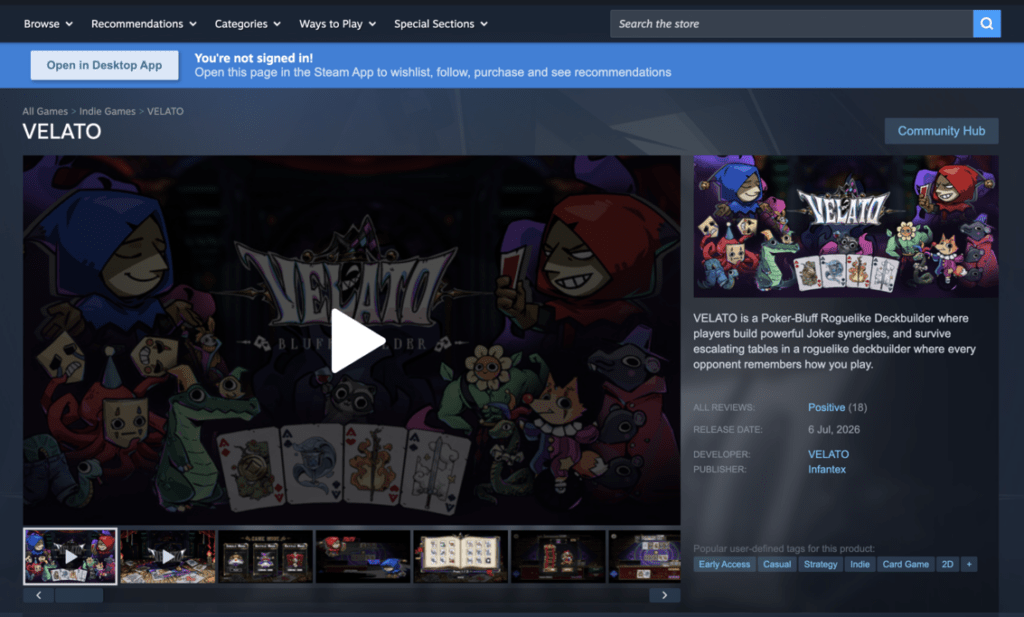
Example: Tags displayed on a Steam Store page help both players and the recommendation system understand a game’s core mechanics and themes.
Read more about Steam Tags here: https://partner.steamgames.com/doc/store/tags
Steam Genres vs Steam Tags
Many new developers confuse Genres with Tags.
They’re related—but not identical.
| Steam Genres | Steam Tags |
|---|---|
| Assigned by the developer | Initially chosen by the developer and later influenced by community tagging |
| Broad categories | Detailed descriptors |
| Limited number | Many can be applied |
| Used for store categorization | Used heavily by recommendation systems |
For example: Velato
Genre:
- Strategy
Possible Tags:
- Poker Roguelike
- Roguelike
- Deckbuilder
- Card Game
- Bluffing
- Turn-Based
- Singleplayer
- Indie
These tags paint a much clearer picture than the genre alone.
Velato Steam Tags: https://store.steampowered.com/app/4542750/VELATO/
How the Steam Algorithm Uses Tags
One of the biggest misconceptions is that Steam tags are “just labels.”
In reality, they are one of the many inputs the Steam algorithm uses to determine where your game appears.
While Valve has never published the full algorithm, official documentation and developer talks indicate that recommendation systems consider multiple signals together, including tags, player behavior, wishlists, playtime, and purchasing patterns. Steam also states that user-generated tags help classify games and improve recommendations. (See Steamworks Documentation.)
Simplified, the process looks like this:
Your Game
      │
      ▼
Steam Tags
      │
      ▼
Algorithm identifies similar games
      │
      ▼
Recommendation engine
      │
      ▼
Players interested in similar games
Imagine someone frequently plays:
- Balatro
- Slay the Spire
- Monster Train
These games share tags such as:
- Roguelike
- Deckbuilder
- Strategy
- Card Game
If Velato also uses these tags appropriately—while adding a distinctive tag like Poker Roguelike—Steam is more likely to surface it to players who already enjoy similar experiences.
This is one of the reasons accurate tagging is critical for niche titles.
Why Steam Tags Affect Discoverability
Discoverability is one of the biggest challenges for indie developers. Thousands of games launch on Steam every year. Without accurate tags, your game may never reach the audience most likely to enjoy it.
Steam tags influence visibility in several areas:
Similar Games
The “More Like This” section relies heavily on tag similarity.
If your tags align with your true competitors, you have a better chance of appearing alongside them.
Search & Browse
Many players browse by tags rather than searching for exact game names.
Popular tag pages such as Roguelike, Deckbuilder, and Card Game can generate steady traffic for games that fit those categories.
Personalized Recommendations
Steam analyzes what players own, play, and wishlist. Tags help connect your game with users who have demonstrated interest in similar experiences.
Curated Discovery Queues
During events and daily discovery queues, tags are one of the signals used to determine which games are shown to individual users.
Steam uses a combination of player behavior and game metadata—including tags—to power recommendation surfaces such as “More Like This” and the Discovery Queue.
Real Example: Why Velato’s Tags Matter
Imagine Velato launches with only these tags:
- Indie
- Strategy
- Card Game
While technically correct, they don’t fully communicate the game’s unique identity.
Now compare that with a more refined set:
- Roguelike
- Deckbuilder
- Poker Roguelike
- Strategy
- Card Game
- Turn-Based
- Singleplayer
The second set gives Steam far more context, increasing the likelihood that Velato will be recommended to fans of roguelike deckbuilders while also highlighting its distinctive poker-inspired gameplay.
In other words, tags shouldn’t just describe your game—they should position it within the ecosystem of games your ideal players already enjoy.
Official References
For deeper guidance on how Steam uses store metadata and tags, consult the official Steamworks documentation:
- Steamworks Documentation – Store Presence
- Steamworks Documentation – Steam Tags
- Steamworks Documentation – Features And Tools, Marketing
These resources explain how tags contribute to game classification and recommendation systems, while also outlining best practices for store optimization.
10 Proven Rules for Choosing the Best Steam Tags
Now that you understand how Steam tags influence discoverability, the next question is:
How do you actually choose the right tags for your game?
Many first-time indie developers simply pick tags that sound accurate. However, the best-performing Steam pages usually follow a more strategic approach.
Below are ten proven rules that can help your game reach the right audience.
Rule #1: Your First 5 Tags Matter the Most
Although Steam allows developers and the community to apply many tags, your top tags carry the greatest weight.
Think of them as your game’s identity.
For example, if your game is a poker-based roguelike deckbuilder, your first tags might look like this:
- Roguelike
- Deckbuilder
- Card Game
- Strategy
- Poker Roguelike
These immediately tell both players and Steam’s recommendation system what kind of experience your game offers.
Avoid using generic tags such as:
- Indie
- Casual
- Funny
as your first few tags unless they truly define the core gameplay.
Rule #2: Describe Gameplay Before Theme
One of the most common mistakes is choosing tags based on story or aesthetics instead of gameplay.
Compare these two examples.
Poor Tag Selection
- Fantasy
- Dark
- Pixel Graphics
- Indie
- Atmospheric
Better Tag Selection
- Roguelike
- Deckbuilder
- Turn-Based
- Strategy
- Card Game
Players generally search for mechanics first and themes second.
Gameplay tags also provide stronger signals to Steam’s recommendation engine.
Rule #3: Think Like Your Target Player
Instead of asking:
“How would I describe my game?”
Ask yourself:
“What tags would my ideal player browse?”
Imagine someone who loves:
- Balatro
- Slay the Spire
- Monster Train
They’re unlikely to search for “Indie.”
Instead, they’ll explore tags like:
- Roguelike
- Deckbuilder
- Card Game
- Strategy
That’s where you want your game to appear.
Rule #4: Study Similar Games
One of the easiest ways to build an effective tag strategy is by analyzing successful games in your niche.
Look at:
- Games with similar mechanics
- Games targeting the same audience
- Games with comparable progression systems
Don’t copy every tag blindly.
Instead, identify recurring patterns.
For a poker roguelike, you’ll notice that successful titles consistently emphasize:
- Roguelike
- Strategy
- Card Game
- Deckbuilder
These are the tags players already associate with the genre.
Case Study: Velato Poker Roguelike
Let’s use Velato as an example.
Imagine you’re preparing the Steam page for Velato.
At first glance, you might choose these tags:
- Indie
- Strategy
- Card Game
- Singleplayer
Technically, they’re correct.
But they don’t fully explain what makes the game unique.
A stronger tag profile could be:
- Roguelike
- Deckbuilder
- Poker Roguelike
- Strategy
- Card Game
- Turn-Based
- Singleplayer
- Tactical
Now compare the difference.
The first version tells Steam almost nothing beyond the basics.
The second version immediately places Velato alongside games that appeal to fans of roguelike deckbuilders while highlighting its poker-inspired mechanics.
That’s exactly what good tagging should accomplish.
Rule #5: Don’t Waste Tags on Obvious Information
Some developers add tags such as:
- Singleplayer
- Indie
- Controller
These tags are useful—but they shouldn’t replace your most valuable gameplay tags.
Always prioritize mechanics that define the experience.
For example:
Instead of:
- Indie
- Singleplayer
- Stylized
Choose:
- Roguelike
- Deckbuilder
- Card Game
Players care much more about how the game plays.
Primary Tags vs Secondary Tags
A useful way to organize your Steam tags is to separate them into two groups.
Primary Tags
These describe your core gameplay loop.
Examples:
- Roguelike
- Deckbuilder
- Strategy
- Card Game
These should appear first.
Secondary Tags
These provide additional context.
Examples include:
- Singleplayer
- Fantasy
- Pixel Graphics
- Tactical
- Turn-Based
Secondary tags help refine your audience but shouldn’t replace your primary gameplay tags.
Community Tags vs Developer Tags
Many developers don’t realize that Steam tags evolve over time.
When players begin interacting with your game, they can apply their own tags.
If enough players consistently describe your game in a certain way, those community tags become increasingly influential.
This means your Store page isn’t completely static.
For example, if players repeatedly tag Velato as:
- Bluffing
- Poker
- Mind Games
those descriptors may become more visible over time—even if they weren’t part of the original developer-selected set.
This is another reason why it’s important to attract the right audience from day one.
The right players tend to reinforce the right tags.
Common Steam Tag Mistakes
Using Too Many Broad Tags
Tags like:
- Indie
- Casual
- Adventure
describe thousands of games.
They do little to differentiate your title.
Chasing Popular Tags
Some developers add tags simply because they’re trending.
For example:
- Open World
- Souls-like
- Survival
even when those mechanics barely exist in the game.
This usually hurts discoverability because players who click through expecting those experiences are likely to leave quickly.
Poor engagement sends negative signals to Steam.
Ignoring Niche Tags
Niche tags often have lower competition.
For Velato, a tag like Poker Roguelike communicates a unique gameplay hook that generic tags cannot.
Although the audience is smaller, it’s also much more targeted.
High relevance is often more valuable than broad exposure.
Forgetting to Revisit Tags
Many developers never update their tags after launch.
However, games evolve.
If your updates introduce major new mechanics or your community begins describing the game differently, it’s worth reviewing your tag strategy.
Steam Store pages are living marketing assets—not one-time setups.
Quick Checklist for Choosing Steam Tags
Before publishing your Store page, ask yourself:
- Do my first five tags describe gameplay rather than visuals?
- Would fans of similar games search using these tags?
- Am I using specific tags instead of overly broad ones?
- Do my tags accurately reflect the player experience?
- Have I analyzed successful competitors in my genre?
If the answer to any of these is “no,” revisit your tag selection before launch.
Even small improvements can make it easier for the Steam algorithm to understand—and recommend—your game.
How to Research the Best Steam Tags
Choosing Steam tags shouldn’t be based on guesswork. Instead, treat it like keyword research for SEO.
Successful indie developers often spend time analyzing competing games before finalizing their Store page.
Here is a simple process you can follow.
Step 1: Identify Your Closest Competitors
Start by making a list of games that share similar gameplay—not just a similar visual style.
For Velato, good reference games might include:
- Balatro
- Slay the Spire
- Monster Train
- Inscryption
- Wildfrost
Notice that these games all revolve around strategic decision-making, card mechanics, or roguelike progression.
Your goal isn’t to copy them—it’s to understand how Steam categorizes games that appeal to the same audience.
Step 2: Analyze Their Steam Pages
Visit each Store page and look for recurring patterns.
Ask yourself:
- Which tags appear most frequently?
- Which tags are listed first?
- Which mechanics do they emphasize?
- How do they describe the gameplay?
If three or four successful games consistently share the same tags, those tags are likely important to your niche.
Step 3: Build a Core Tag List
After researching competitors, create a shortlist.
For example, if you’re marketing Velato, your tag strategy could look like this:
Core Gameplay Tags
- Roguelike
- Deckbuilder
- Card Game
- Strategy
Supporting Tags
- Turn-Based
- Singleplayer
- Tactical
- Poker Roguelike
This combination clearly communicates both the genre and the game’s unique identity.
Example Tag Comparison
Here’s a simplified comparison between several well-known games and Velato.
| Game | Core Tags |
|---|---|
| Balatro | Roguelike, Deckbuilder, Card Game, Strategy |
| Slay the Spire | Roguelike, Deckbuilder, Strategy, Card Battler |
| Monster Train | Deckbuilder, Roguelike, Strategy, Tactical |
| Velato | Roguelike, Deckbuilder, Poker Roguelike, Strategy, Card Game |
Notice something interesting.
The first four tags remain remarkably consistent.
What differentiates Velato is the addition of Poker Roguelike, which immediately communicates its unique gameplay hook.
This balance between familiar genre tags and distinctive niche tags helps both Steam’s recommendation system and potential players understand where the game fits.
Steam SEO: Think Like Google, But for Games
Many developers compare Steam optimization to traditional SEO.
While Steam doesn’t use keywords in the same way Google does, the underlying principle is surprisingly similar.
Google asks:
What pages are relevant for this search?
Steam asks:
What games are relevant for this player?
Your tags help answer that question.
Just as stuffing a webpage with unrelated keywords can hurt search performance, adding inaccurate Steam tags can confuse the recommendation system and reduce your visibility.
Think of Steam tags as metadata that helps classify your game within Steam’s ecosystem.
Free Tools for Steam Tag Research
Fortunately, you don’t have to do all your research manually.
Several free tools can help you understand how games are categorized on Steam.
1. Steam Store Search
The easiest method is simply browsing Steam itself.
Search for games similar to yours and note:
- Their top tags
- Similar Games recommendations
- Featured categories
This gives you insight into how Steam positions games in your niche.
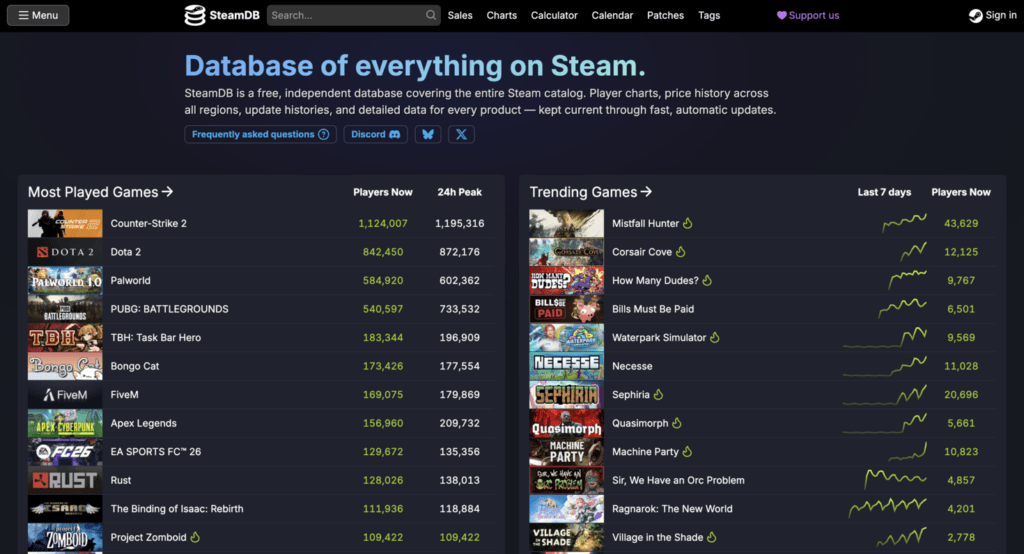
2. SteamDB
SteamDB is one of the most valuable resources for indie developers.
It allows you to explore detailed information about Steam games, including tags, release history, pricing, and updates.
Use it to compare your game with competitors and identify common tagging patterns.
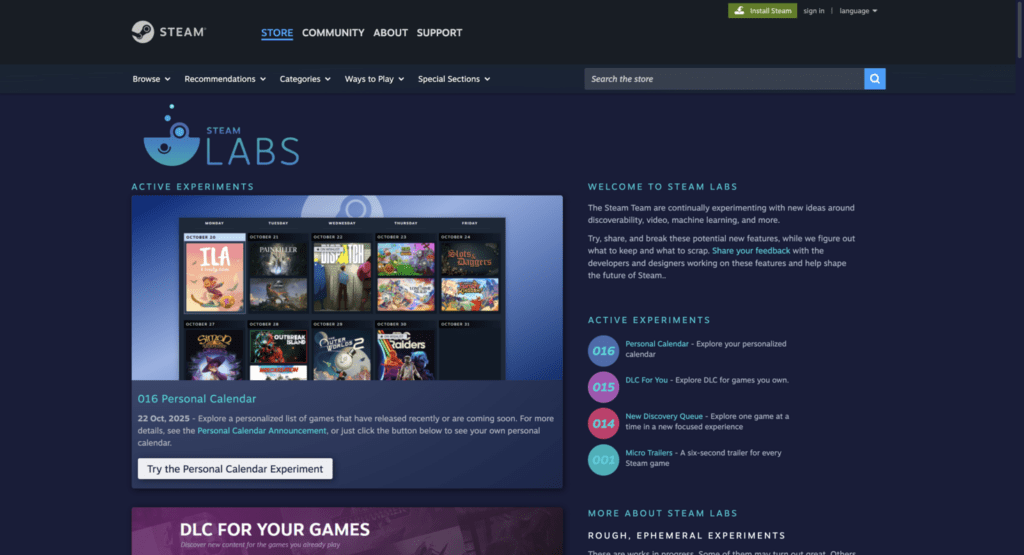
3. Steam Labs
Steam Labs provides experimental discovery tools that reveal how games are connected through genres, recommendations, and player behavior.
Exploring these connections can help you better understand where your game might appear within Steam’s recommendation ecosystem.
4. GameDiscoverCo
GameDiscoverCo regularly publishes research on Steam discoverability, wishlists, recommendation systems, and indie game marketing.
Although it isn’t an official Steam resource, it’s widely respected within the indie development community.
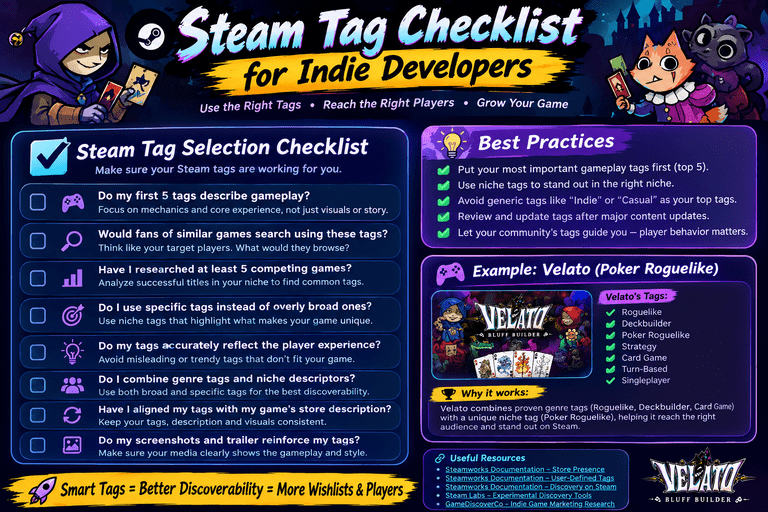
Steam Tag Checklist
Before publishing your Store page, run through this checklist.
✅ My first five tags describe gameplay.
✅ My tags match what players would search for.
✅ I researched at least five competing games.
✅ My tags include both broad genre tags and niche descriptors.
✅ I avoided misleading or trending tags that don’t fit my game.
✅ My Store description supports the same gameplay themes as my tags.
✅ My screenshots and trailer reinforce those tags.
If you can check every box, you’re already ahead of many first-time developers.
Frequently Asked Questions
How many Steam tags should I use?
Steam allows maximum 20 tags, but quality matters more than quantity.
Start with a focused set of gameplay-oriented tags that accurately describe your game, then refine them over time as you gather player feedback.
Can I change my Steam tags after launch?
Yes.
Developers can update their selected tags, and community tags may also evolve as players interact with the game.
It’s good practice to review your tags after major content updates or when your audience begins describing the game differently.
Should I use niche tags?
Absolutely.
Broad tags help Steam understand your general genre, while niche tags help distinguish your game from competitors.
For a title like Velato, combining Roguelike and Deckbuilder with Poker Roguelike creates a much clearer identity than relying on generic tags alone.
Do Steam tags directly affect sales?
Not directly.
Tags don’t increase sales by themselves.
Instead, they improve discoverability, helping your game reach players who are more likely to wishlist, purchase, and engage with it.
Better discoverability often leads to better long-term performance.
Final Thoughts
Choosing the right Steam tags is one of the simplest yet most impactful optimizations you can make when publishing an indie game.
While stunning capsule art and a compelling trailer attract attention, your tags help the Steam algorithm understand exactly who should see your game.
For indie developers and solo developers with limited marketing budgets, accurate tagging is a cost-effective way to improve discoverability and reach the right audience.
The key is to think beyond what your game is and focus on how players search for games like yours.
If you’re building a title like Velato, don’t stop at generic labels such as Indie or Strategy. Combine proven genre tags like Roguelike, Deckbuilder, and Card Game with distinctive descriptors like Poker Roguelike to clearly communicate your game’s unique identity.
As your game evolves, revisit your Store page regularly. Refine your tags, monitor how players describe your game, and continue optimizing your Steam presence.
Small improvements in your Store page today can lead to better recommendations, more wishlists, and a stronger launch tomorrow.
References
- Steamworks Documentation – Store Page & Store Presence
https://partner.steamgames.com/doc/store - Steamworks Documentation – User-Defined Tags
https://partner.steamgames.com/doc/store/tags - Steamworks Documentation – Discovery on Steam
https://partner.steamgames.com/doc/marketing/discovery - Steam Labs
https://store.steampowered.com/labs/ - SteamDB
https://steamdb.info/ - GameDiscoverCo
https://newsletter.gamediscover.co/
Don’t know How to Set Up a Store Page on Steam? We have full guidance here: How to Set Up a Store Page on Steam