

Learn how to set up a Store page on Steam step by step. This complete guide helps indie devs and solo developers optimize their Steam game page for more wishlists and better visibility.
I hope you find more in details here.
How to Set Up a Store Page on Steam?
Launching an indie game on Steam is about much more than simply clicking the Publish button. Your Steam Store page is your game’s storefront, marketing hub, and one of the biggest drivers of wishlists before launch.
Whether you’re an indie dev, a solo dev, or a small studio preparing your first release, learning how to set up a Store page on Steam correctly can significantly improve your game’s visibility and conversion rate.
In this guide, we’ll walk through every step of creating a professional Steam Store page, along with practical tips used by successful indie gaming studios.
Why Your Steam Store Page Matters?
Most players discover new games through Steam recommendations, search results, genre pages, festivals, or social media links.
Once they arrive at your page, they’ll usually decide within seconds whether to:
- Wishlist your game
- Watch the trailer
- Read more
- Leave immediately
That means your Store page isn’t just a place to host information—it’s your most important marketing asset before launch.
Many experienced developers recommend publishing a Coming Soon page 6–12 months before release to begin collecting wishlists while building your community.
Step 1: Register for Steamworks
Before creating your Store page, you’ll need to register for Steamworks.
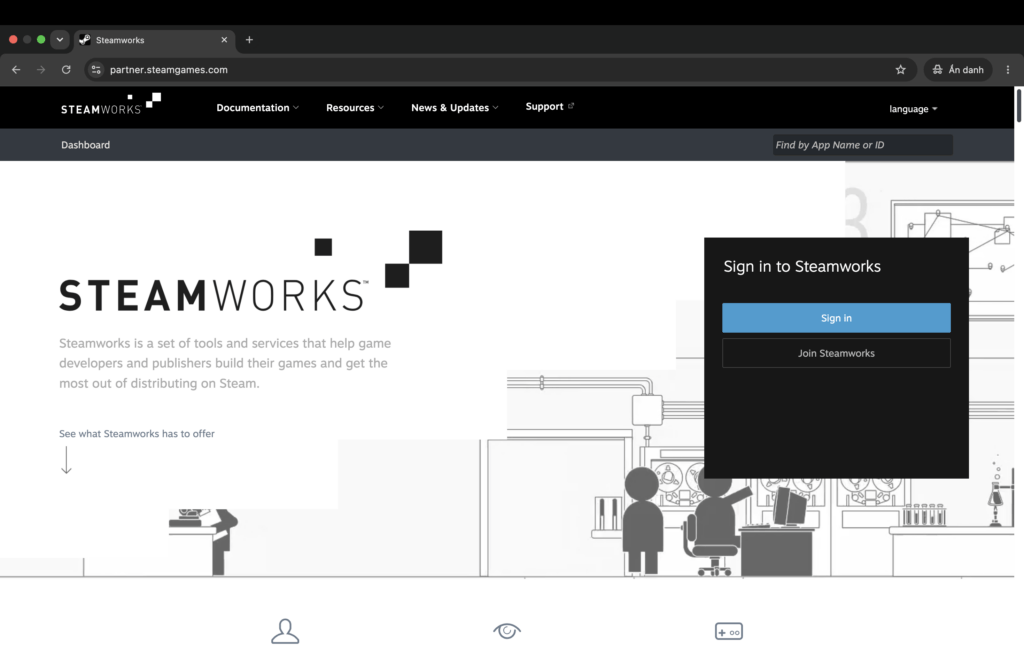
Requirements include:
- A Steam account
- Steamworks registration: https://partner.steamgames.com/
- Steam Direct fee ($100 USD per game)
- Tax and payment information
After Valve verifies your account, you’ll gain access to Steamworks and can create your game application.
Step 2: Create Your Steam Store Page
Inside Steamworks, navigate to: Store Presence → Edit Store Page
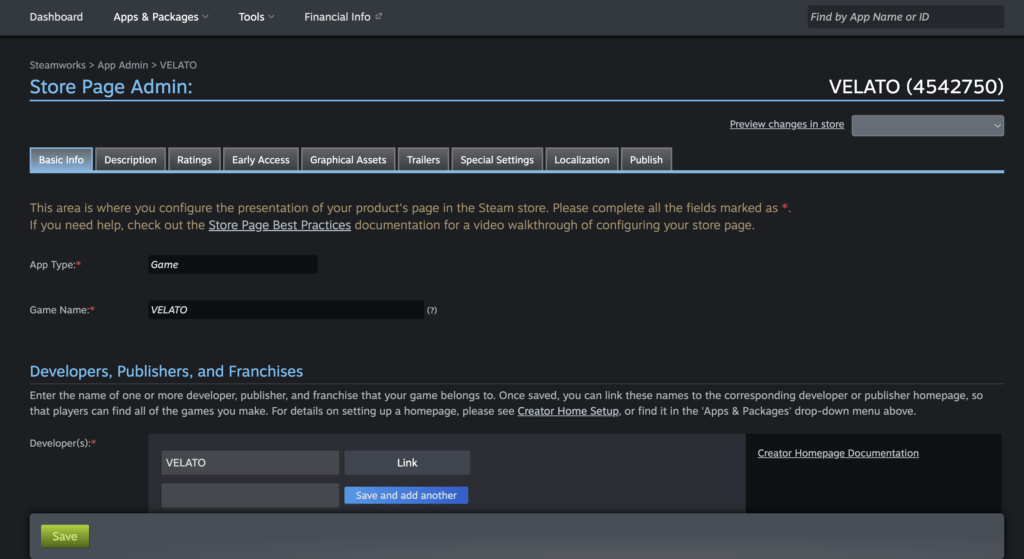
You’ll need to complete several sections, including:
- Game title
- Short Description
- Full Description
- Genre
- Features
- Supported languages
- Controller support
- Age ratings (if applicable)
Take your time with each field. Together, they help Steam understand your game while giving potential players the information they need.
Step 3: Write a Strong Short Description
Your Short Description is one of the first pieces of text players see.
A good description should quickly answer:
- What is the game?
- Why is it unique?
- Who is it for?
Instead of saying:
A fun card game.
Try something more descriptive:
A poker roguelike where every bluff reshapes your deck and every hand can change the outcome of your run.
If you’re creating something similar to Velato poker roguelike, emphasize what makes your gameplay unique rather than simply listing genres.
Step 4: Choose the Right Steam Tags
Steam tags play a huge role in discoverability.
For example, a poker roguelike might use tags like:
- Roguelike
- Deckbuilder
- Card Game
- Strategy
- Poker
- Turn-Based
- Indie
- Singleplayer
Your first few tags carry the most weight, so prioritize your game’s primary genre.
Avoid adding unrelated tags just because they’re popular—accurate tagging helps Steam recommend your game to the right audience.
Step 5: Design Professional Capsule Art
Capsule images are the first visual impression players get.
Steam requires multiple assets, including:
- Header Capsule
- Small Capsule
- Main Capsule
- Vertical Capsule
- Library Capsule
- Hero Image
- Logo
The best capsule art usually includes:
- Clear game logo
- Eye-catching artwork
- Strong visual contrast
- Minimal text
Avoid cluttering your artwork with review scores, marketing slogans, or excessive text.
Step 6: Upload Gameplay Screenshots
Steam requires at least five screenshots.
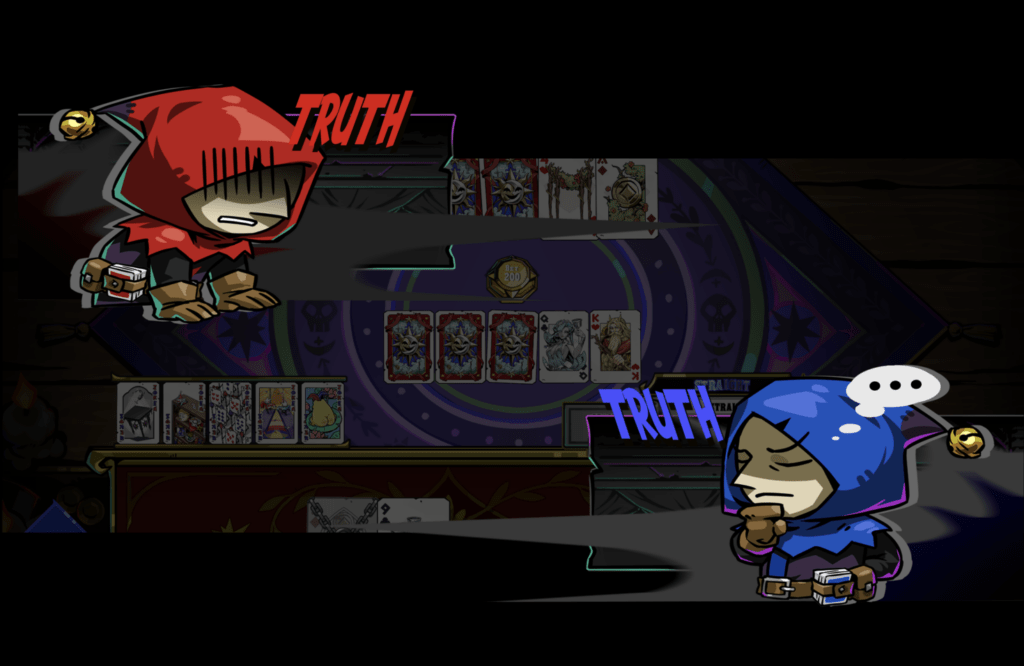
Your screenshots should focus on real gameplay, including:
- Combat
- Exploration
- UI
- Different environments
- Character progression
Players want to know what they’ll actually be playing—not concept art or cinematic scenes.
Each screenshot should tell part of your game’s story.
Step 7: Add a Gameplay Trailer
Your trailer often determines whether someone watches further or leaves.
Best practices include:
- Keep it between 60–90 seconds.
- Show gameplay within the first 5–10 seconds.
- Highlight your core gameplay loop immediately.
- Use high-quality footage captured directly from the game.
Many successful Steam game trailers avoid long logo animations and cinematic introductions. Players want gameplay first.
Step 8: Write a Store Description That Converts
Instead of writing long paragraphs, organize your description into sections.
Introduce the Game
Explain the core concept in one or two paragraphs.
Explain the Gameplay
Describe what players actually do.
Focus on mechanics instead of lore.
Highlight Key Features
Examples include:
- Build powerful decks
- Discover unique synergies
- Unlock hundreds of cards
- Face challenging bosses
- Multiple endings
- Endless replayability
Bullet points are much easier to scan than large blocks of text.
Step 9: Configure System Requirements
Complete both Minimum and Recommended specifications.
Include:
- Operating system
- Processor
- RAM
- Graphics card
- Storage
Even if your game is lightweight, accurate hardware requirements help players make informed decisions.
Step 10: Add Supported Languages (If have)
Language support can dramatically expand your audience.
At minimum, specify whether each language includes:
- Interface
- Full Audio
- Subtitles
Many indie developers prioritize:
- English
- Simplified Chinese
- Japanese
- Korean
These regions represent a significant portion of Steam’s player base.
Step 11: Publish Your Coming Soon Page
Once your Store page is approved, publish it as early as possible.
Benefits include:
- Collecting wishlists
- Sharing your Steam URL
- Building community interest
- Joining Steam Next Fest
- Reaching content creators and press
For many solo dev projects, the Coming Soon page becomes the center of all marketing efforts long before launch.
Step 12: Release a Demo (Highly Recommended)
If possible, publish a playable demo before release.
Benefits include:
- Higher wishlist conversion
- Valuable player feedback
- Better visibility during Steam events
- Increased creator coverage
Steam Next Fest has become one of the biggest opportunities for indie gaming developers, making demos more valuable than ever.
Common Mistakes Indie Devs Should Avoid
Even great games can struggle if their Store page isn’t optimized.
Here are some common mistakes:
- Publishing the Store page only a few weeks before launch
- Using weak capsule artwork
- Leading trailers with long logos
- Uploading screenshots that don’t show gameplay
- Writing vague descriptions
- Choosing inaccurate Steam tags
- Ignoring localization opportunities
Small improvements across these areas can noticeably increase wishlist conversion.
Steam Store Page Checklist
Before publishing, make sure you’ve completed the following:
- ✔ Professional capsule artwork
- ✔ Gameplay trailer
- ✔ At least five gameplay screenshots
- ✔ Strong Short Description
- ✔ Detailed Full Description
- ✔ Correct Steam tags
- ✔ System requirements
- ✔ Supported languages
- ✔ Pricing
- ✔ Release date or release window
- ✔ Valve review approval
Learn from Successful Indie Games
Studying successful Store pages can provide valuable inspiration.
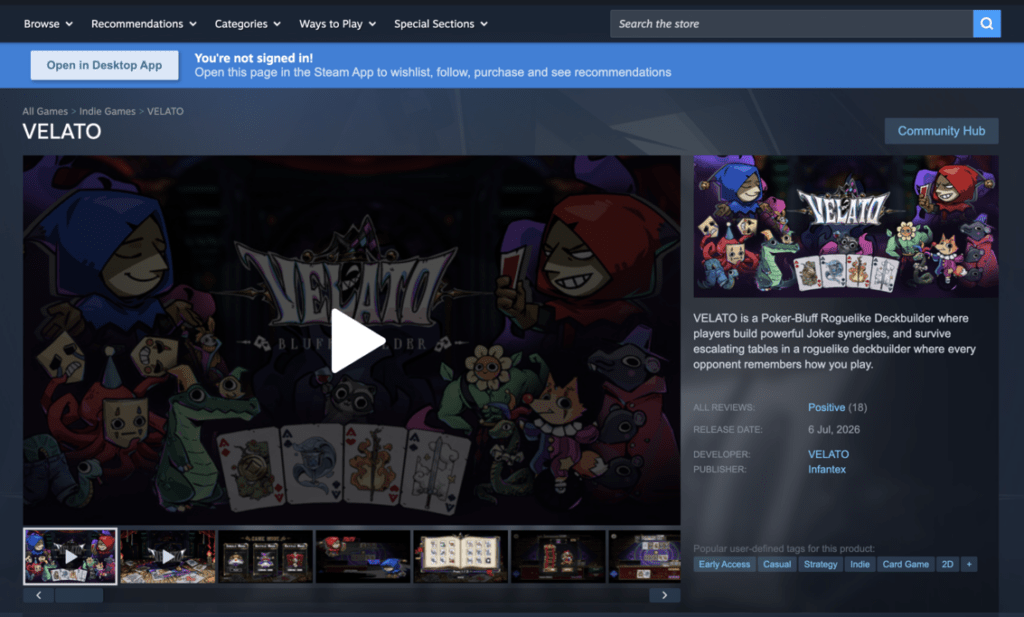
For example, Velato poker roguelike showcases how a niche concept can stand out by combining a unique gameplay hook with clear messaging, strong visual branding, and a focused Store page.
Velato Store Page: https://store.steampowered.com/app/4542750/VELATO/
Rather than copying another game’s presentation, analyze what makes its page effective:
- Is the hook immediately clear?
- Does the trailer show gameplay quickly?
- Are the screenshots engaging?
- Is the description easy to scan?
These principles apply to almost every successful Steam game, regardless of genre.
Final Thoughts
Learning how to set up a Store page on Steam is one of the most valuable skills any indie dev or solo dev can develop.
Your Store page isn’t just a product listing—it’s your primary marketing tool, your first impression, and the place where curious visitors become future players.
Invest time in strong visuals, compelling copy, accurate tags, and an engaging trailer. Publish your Coming Soon page early, collect wishlists consistently, and keep refining your page as your game evolves.
A polished Store page won’t guarantee success, but it gives your indie game the best possible chance to stand out in one of the world’s most competitive gaming marketplaces.
Read more about Poker Roguelike game here: https://blog.velato.click/velato-the-first-actual-poker-bluffing-roguelike/